
Subtitle Studio & Waveform Editor
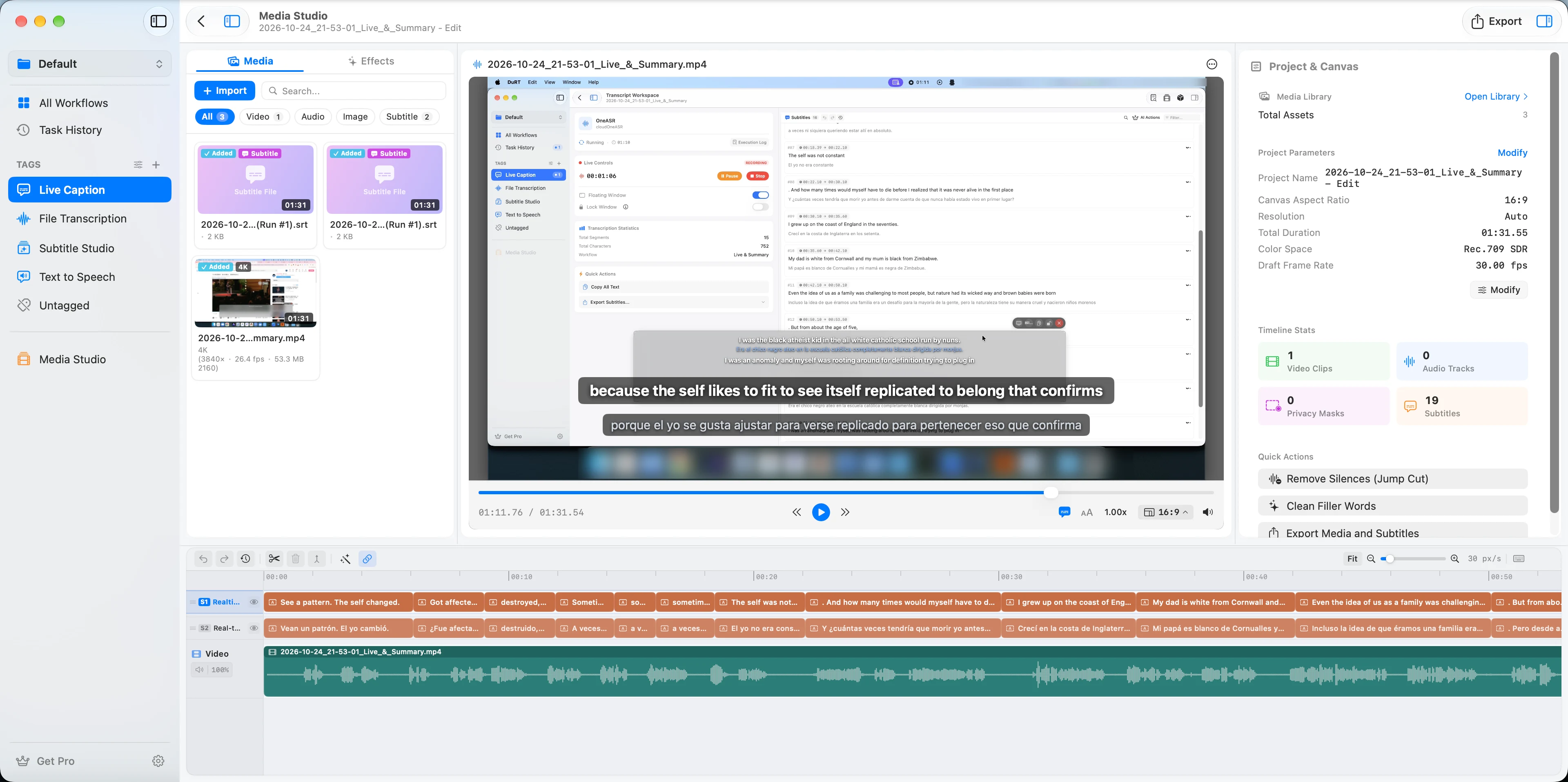
Subtitle Studio (TaskStudio) is DuRT's professional editing workshop, combining an interactive audio waveform timeline, millisecond word-level timing, synchronized video preview, and in-place workflow expansion.
Key Capabilities
1. Interactive Audio Waveform Timeline
- High-Performance Waveform Rendering: Visual representation of audio amplitudes with smooth scrolling and scrubbing.
- Waveform Zooming: Zoom from macro full-track overview down to individual millisecond phoneme boundaries.
- Playback & Loop Selection: Click any section to seek playback instantly, or loop-play a specific subtitle sentence for precise listening.
2. Millisecond Word-Level Timestamps
- Word-by-Word Alignment: Every transcribed word includes start and end timestamps.
- Drag-to-Adjust Boundaries: Drag the edge of a subtitle block on the timeline to instantly shift its onset or release time.
- Split & Merge: One-click split a sentence at the cursor, or merge adjacent subtitle cards into a coherent thought.
3. Synchronized Media Preview Player
- Real-Time Video Preview: Play local MP4, MOV, or MKV videos with synchronized subtitles overlaid directly on the canvas.
- Dual-Track Bilingual Display: View original transcription text and translated subtitles stacked or side-by-side.
- Subtitle List & Grid View: Switch between linear timeline view and tabular subtitle list for rapid text editing and proofreading.
4. In-Place Step Actions (Workflow Continuation)
- Once a transcription task is finished, you do not need to construct a new workflow from scratch.
- Click the In-Place Action button in the Studio toolbar to immediately append downstream steps:
- In-Place AI Polish: Run grammar correction and filler-word removal on current subtitles.
- In-Place Translation: Translate the subtitles into 50+ target languages via Apple Translate, DeepSeek, or OpenAI.
- In-Place Voiceover (TTS): Generate high-fidelity voice audio tracks for each subtitle line.
Keyboard Shortcuts in Studio
| Shortcut | Action |
|---|---|
| Space | Play / Pause playback |
| J / K / L | Rewind 5s / Pause / Fast Forward 5s |
| Cmd + [ / ] | Navigate to previous / next subtitle block |
| Cmd + Backspace | Delete current subtitle card |
| Option + Drag | Duplicate or split subtitle slice on timeline |